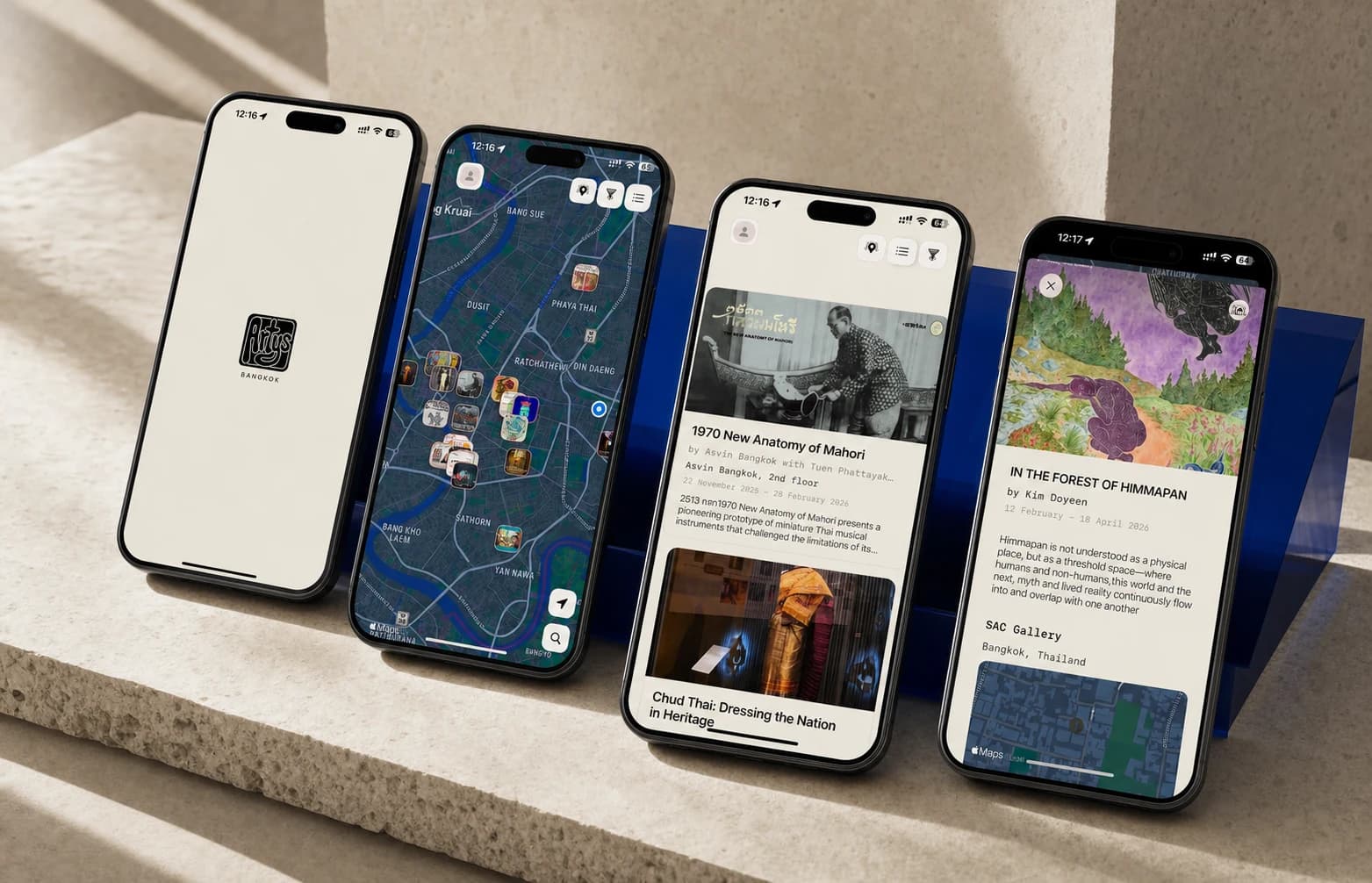
Strong mobile UI/UX design reduces uncertainty for two groups at once: people using the app and developers building it. If either group has to guess what should happen next, the design is not finished.
1. Begin with the outcome, not the interface
Before drawing screens, define the job the app needs to help someone complete. A feature list describes what the product contains; an outcome describes why someone will return. That distinction determines what deserves prominence, what can wait and what should not be in the first release at all.
Write down the primary user, the situation they are in and the result they need. Then identify the business or product signal that would show the experience is working. This is not a request for a large strategy document. A clear paragraph can be enough to align the team before interface decisions multiply.
If the app could help the customer complete only one valuable task in the first release, what would that task be—and what information is truly required to finish it?
2. Structure the primary journeys before polishing screens
Start with the few journeys that define the product: arriving, understanding the current state, completing the core task and returning later. Map these as connected decisions rather than a set of isolated pages. A beautiful screen can still create a weak experience if the person cannot predict where an action leads or how to recover.
For every important journey, identify:
- The trigger that brings someone into the flow.
- The minimum information required at each step.
- The decisions the person must make and the feedback they need.
- Ways to pause, go back, cancel or safely leave.
- The completion state and the most useful next action.
Navigation should follow these recurring jobs. Avoid choosing tabs, menus or gestures simply because they are familiar components. First decide which destinations deserve persistent access, which are contextual and which belong inside a focused task.
3. Design complete product states
Product teams naturally spend most of their time on the happy path: the account is configured, the network is available, the data exists and every action succeeds. Real mobile use is less tidy. A release-ready design explains what the app does when those assumptions fail.
States that should be considered explicitly
- Loading: what is being prepared, and can any useful part appear first?
- Empty: is this a first-use state, a filtered result or missing data?
- Error: what happened, what remains safe and what can the person do now?
- Offline: which information remains available and which actions can wait?
- Permissions: why is access needed, and what happens if it is declined?
- Partial completion: is progress saved and can the task resume later?
These are product decisions, not decorative variations. When they are left out of the design, developers either stop to ask or make an assumption under delivery pressure.
4. Respect platform patterns without becoming generic
People bring learned behaviour from the rest of their device. Familiar navigation, controls, typography and system feedback reduce the amount they must learn inside a new app. Use those conventions as a foundation, especially for high-stakes actions, accessibility and operating-system features.
A distinctive product does not require every control to be custom. Put the brand into composition, language, motion, imagery and the moments that genuinely differentiate the service. Preserve predictable behaviour where surprise would only add effort.
If both iOS and Android matter, define which patterns remain shared and which should adapt. Artifakts can design across mobile platforms, while our in-house implementation capability is specifically native iOS design and development.
5. Prototype the decisions with the highest risk
A prototype is most useful when it answers a question. Test whether people understand the navigation, can complete the core flow, interpret unfamiliar language or trust an important decision. Avoid spending time simulating every transition when the uncertain part is the structure or product proposition.
Review prototypes at mobile scale and, when possible, on a real device. The physical context changes judgment: reach, keyboard behaviour, scroll length, interruption and touch accuracy are difficult to feel on a large desktop canvas.
A small number of well-chosen sessions can reveal repeated comprehension problems. Record what people attempted, where they hesitated and the assumptions behind the team’s decisions. Treat findings as evidence, not a vote on visual taste.
6. Build an interface system around real product needs
Create components after the product has exposed its recurring patterns. Starting with an abstract library can produce a tidy file that does not support the actual flows. Begin with core journeys, identify repetition and turn proven patterns into reusable components with explicit variants and states.
A useful mobile system normally records:
- Typography, spacing, colour and elevation decisions.
- Component variants, interaction states and content limits.
- Behaviour across device widths, dynamic type and longer text.
- Accessibility expectations, focus order and touch-target requirements.
- Which patterns are product-specific and which follow the platform.
The goal is not the largest component library. It is a shared language that lets designers and developers make consistent decisions as the product changes.
7. Make the work developer-ready—and stay available
A handoff is not a single meeting or a link to a design file. Developers need the complete flow, component behaviour, responsive assumptions, source assets and product rules behind the interface. They also need a fast route back to the designer when the implementation exposes an unanswered question.
Review the build while it is still being shaped. Device QA should look beyond pixel differences to hierarchy, interaction, accessibility, content behaviour and whether the implementation still supports the original user outcome. This is how design intent survives contact with production.
If you need senior help across these stages, our mobile app design service covers product flows, prototypes, production UI, interface systems and direct collaboration during development.
8. Mobile UI/UX release checklist
Before calling the design ready, confirm that the team can answer yes to the following:
- The primary user and core outcome are clear.
- The main journeys work from entry to completion and return.
- Navigation reflects recurring user jobs rather than the internal feature list.
- Loading, empty, error, offline and permission states are designed.
- Important actions explain their result and support recovery where appropriate.
- Platform conventions are used deliberately, with custom behaviour documented.
- The riskiest assumptions have been reviewed through a prototype or working build.
- Components include meaningful variants, states and content constraints.
- Layouts have been checked at realistic mobile sizes and with longer content.
- Developers can trace every important state and reach the designer with questions.
- The working app will be reviewed for product behaviour, not only visual accuracy.